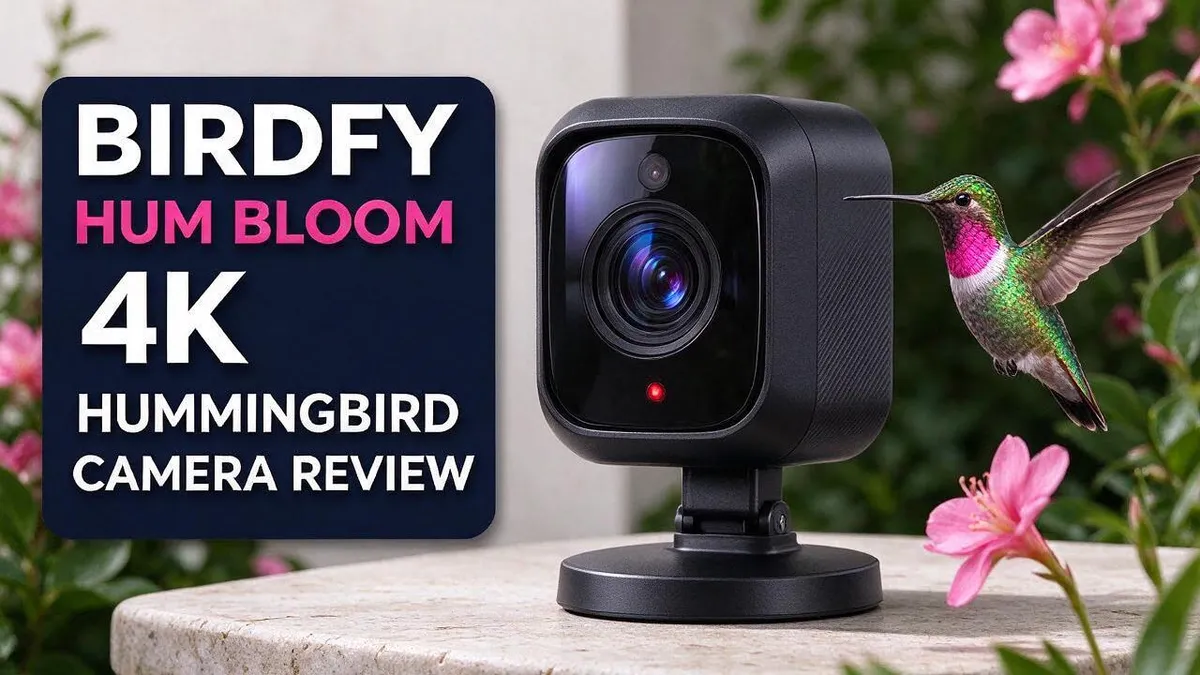
Birdfy Hum Bloom 4K Hummingbird Camera Review: Who It’s For
Do you love watching hummingbirds up close? Many bird lovers want a camera that captures these tiny visitors without missing a single flutter. The Birdfy Hum Bloom 4K camera aims to do just that.
Here is what makes this camera stand out. It offers 4K Ultra HD resolution and a WiFi connection. Many shoppers also like that no subscription is required to get started.
One reviewer shared that they watched hummingbirds from another city while on vacation. That kind of remote viewing sounds like a dream for busy garden fans.
Still, product claims deserve a closer look. This review explains what the camera offers, what early research shows, and who it suits best. Let us see whether this hummingbird camera earns a spot in your garden.
In a Nutshell
-
Strong owner ratings: Shoppers rate this camera highly on The Home Depot. Their feedback suggests a good daily experience.
-
No subscription needed: You can use the camera without signing up for an ongoing plan. This keeps your setup simple and light on effort.
-
Slow motion fun: The 10x slow motion mode helps you study wing movements up close. Hummingbird wings move so fast that this feature can reveal details you would otherwise miss.
-
AI bird ID claims: The brand says the AI can identify over 10,000 species with 95% accuracy. Those numbers are not confirmed for this model yet.
-
Room to compare: Wyze and Blink offer standalone cameras with no subscription. VicoHome and a simpler Amazon feeder camera are other options to consider before you choose.
-
Gaps to check: No independent cons turned up in our research. Specs also remain largely unverified, so read recent reviews and the official product page before you decide.
Image and Video Quality

- Unmatched 8MP Ultra HD Hummingbird Feeder Camera in Stunning Clarity with 1.9" Closer Focus: See every feather's texture and vibrant color in vivid,stunning detail, capturing the beauty of hummingbirds like never before in photography-grade video
- 10x Slow Motion for an Immersive Bird Watching Experience: Observe the natural beauty of hummingbirds from a completely new perspective, capture fast wingbeats in stunning slow-motion with 120fps, up to 10× slower. Enjoy and bring every graceful moment to life, see hummingbird behavior like never before
Last update on 2026-11-19 / Affiliate links / Images from Amazon Product Advertising API Some of the links on this website are affiliate links, which means that at no additional cost to you, I earn a commission if you click through and make a purchase. I only recommend products and services that I believe will add value to my readers. Thank you for your support!
Clear pictures depend on where you place the camera. Hummingbirds move fast. A spot about three to six feet from the feeder helps the bird fill more of the frame.
Sunlight matters more than most people expect. Bright morning light brings out the ruby throat and green feathers. Harsh afternoon glare can wash out colors and create dark shadows. Shade on part of the feeder often gives the best balance.
Background clutter can distract viewers. A plain backdrop behind the feeder keeps attention on the bird. Trim any branches that block the frame.
Many shoppers ask about low light. Early mornings and cloudy days can make the image look softer. Check whether the camera lists a night or low light mode before you decide.
Motion blur is the real test. A hummingbird can beat its wings many times per second. Good video shows each wing position, while weak video smears them together. Look for clips from real owners, not only product photos.
Wind can shake the feeder and blur the shot. Mount the camera on a stable post or a sturdy bracket. A steady base keeps every frame sharp.
Keep the lens clean for better results. Rain, dust, and pollen collect on the glass over time. A soft cloth wipe every week or two keeps the view crisp. This simple habit helps more than many people think.
Color accuracy also deserves attention. Feathers can look duller or overly saturated on some cameras. Compare a few sample clips with your own backyard lighting in mind.
Feeder color can change how well the camera works. Bright red or yellow feeders may catch light differently than darker ones. Simple changes like these often improve the final shot.
Set expectations based on verified facts. Many image claims in our research come from general articles or unverified sources. Test the camera in your own yard during a return window if possible. Your own footage tells the real story.
Smart Features and Bird Identification
Smart features can make bird watching easier. Most feeder cameras send a clip when something moves. You can check your visitors without watching a screen all day.
The AI bird ID feature is the main claim. The brand says it can name over 10,000 species with 95% accuracy. Our research could not confirm those numbers for this model, so use them as a starting point.
A simple test helps. Watch several visits and compare the camera label with a bird guide or a free identification app. If the label stays the same for the same bird, that is a good sign. If it changes often, the feature needs more testing.
Small hummingbirds can look alike from the side. Females and young birds often lack the bright throat patch that helps people tell species apart. An ID tool may struggle with these views.
Check the app before you rely on it. Look for live view, motion alerts, and a clear clip history. Test whether you can save clips and share them with family members.
Match the features to your goals. If you only want a fun alert when a hummingbird arrives, basic motion alerts may be enough. If you want a species log for a backyard count, test the ID tool for at least one week.
Keep notes as you test. Write down each species the camera names and whether it was correct. Your notes give you real data instead of marketing claims. Share your notes with other bird fans for extra feedback.
Also, ask how many clips the app keeps. Some services limit storage, and that changes how far back you can review visits. Check these rules before you set everything up.
The best feature is the one you use daily. A camera with simple alerts and a clear app often beats one with a long feature list. Pick the setup that fits your routine.
Setup and Mounting
Setting up your hummingbird camera takes less time than most people expect. Start by checking every part in the box. Look for the mount, the screws, the cables, and the quick start guide.
First, choose a spot with a strong WiFi signal. Open the app on your phone and stand near the planned location. Watch the signal bars before you commit. A weak signal leads to choppy video and missed moments.
Then, mount the camera on a sturdy pole or bracket. A stable base keeps the frame steady. Tighten every screw firmly, but avoid forcing the parts together. Use a level if you have one, so the camera sits straight.
Aim the lens at the feeder port. Leave some space so hummingbirds can hover without touching the lens. Try a few distances from the feeder and check the view at each one.
Next, pair the camera with the app. Follow the steps shown on screen carefully. Enter your WiFi password exactly as written, since passwords are case sensitive.
Use live view to confirm the angle. Open the live feed and watch for a few minutes. This shows you what visitors will see.
Take a short test video before you finish. Check the framing, brightness, and sharpness. Move the feeder slightly if the view looks cramped. Small changes can make a big difference in the final shot.
Finally, secure all cables with clips or ties. Loose wires can swing in the wind and pull the camera out of position. Tuck extra cable into a small loop so it does not pull. Recheck the mount after a few days, since outdoor parts can loosen over time.
A clean setup makes everything later easier. You can adjust the angle any time you want. Your first hummingbird visit will feel worth the effort. Good luck, and enjoy your first visitors!
Top 3 Alternatives
Bird Buddy Smart Feeder

- AI-POWERED BIRDWATCHING APP: Premium Subscription required. The Bird Buddy app uses AI to identify bird species and individual birds, detect signs of illness, recognize other animal visitors, and provide real-time alerts when birds visit your feeder. Access advanced birdwatching features, personalized collections, and insights about your local wildlife through an active subscription.
- ADVANCED HD+ BIRD FEEDER CAMERA: The 2x larger sensor supports HDR for stunning contrasts and vibrant colors in 5MP photos and 2K video resolution. Unlock extra features and capture slow-motion videos of birds in flight, or enjoy a wider field of view.
Last update on 2026-07-01 / Affiliate links / Images from Amazon Product Advertising API Some of the links on this website are affiliate links, which means that at no additional cost to you, I earn a commission if you click through and make a purchase. I only recommend products and services that I believe will add value to my readers. Thank you for your support!
This feeder gives you a front row seat to your backyard visitors. A built-in camera takes photos when a bird lands on the perch.
The app sends alerts straight to your phone. You can review each visit and see which birds come back most often. The feeder also uses artificial intelligence to suggest species names, so beginners can start learning right away.
Best for: people who want photos and easy bird tracking in one device.
Aura Smart Bird Feeder

- BUILT-IN CAMERA: Capture clear, close-up photos and videos of visiting birds directly from the feeder for a unique wildlife viewing experience.LIFETIME FREE AI BIRD IDENTIFICATION: Identify 10,000+ bird species for lifetime free with no monthly AI subscription. Get bird arrival alerts, explore species information and bird sounds in the app, and share access with up to 5 family members.
- 2.5K HD CAMERA WITH ROTATING VERTICAL VIEW: The 4MP camera and 150° wide-angle lens capture clear bird activity and close-up details. Rotate between landscape and vertical views for full-screen phone viewing. Color night vision captures low-light scenes.
Last update on 2026-11-19 / Affiliate links / Images from Amazon Product Advertising API Some of the links on this website are affiliate links, which means that at no additional cost to you, I earn a commission if you click through and make a purchase. I only recommend products and services that I believe will add value to my readers. Thank you for your support!
Aura focuses on clear video and helpful bird data. Its camera records high quality footage of each visitor.
The companion app keeps a log of every visit. Many owners enjoy the timelapse clips that show how their feathered guests spend the day.
Setup stays simple, so you can start watching within minutes. This makes it a good pick for families who want video they can share.
Haikubox Bird Identifier

- AI-Powered Bird Sound Identification: Bring nature inside your home, then get outside to experience it! Like the haiku poem, this little haiku box is a keen nature observer, harnessing AI to identify your birds using their songs and calls. It's a tireless bird sound identifier, gathering bird recordings day and night, and sharing them so you know when your favorite birds visit. Natural sounds have been found to improve health, increase a positive outlook, and lower stress. Haikubox is an addition to your existing cameras and feeders.
- Award-Winning Technology: TIME Best Invention of 2024 in Outdoors category and WIRED Review 9/10: "It's one of the rare pieces of technology that actually increases your connection to the world around you, rather than cutting you off." Audubon: "What distinguished Haikubox... is that it will detect all singing birds within range, not just those that visit feeders. It is especially suited for bird nerds."
Last update on 2026-09-13 / Affiliate links / Images from Amazon Product Advertising API Some of the links on this website are affiliate links, which means that at no additional cost to you, I earn a commission if you click through and make a purchase. I only recommend products and services that I believe will add value to my readers. Thank you for your support!
Haikubox takes a different path because it does not use a camera. Instead, a sensitive microphone listens for bird songs and calls.
Smart software matches those sounds to species. Each detection then appears in the app, along with the time it happened.
This option works well for birders who want to identify birds they cannot see, such as those hiding in dense trees. It suits people who love bird song more than bird photos.
Connectivity and Remote Viewing
Remote viewing is one of the main reasons people buy a hummingbird camera. Live feeds let you watch your yard from almost anywhere. One reviewer even reported watching hummingbirds while on vacation.
Your home network decides how smooth that feed will be. Upload speed matters more than download speed for live video. Many home internet plans offer slow uploads, so check yours first.
The 4K setting needs extra bandwidth. Sharp ultra high definition video uses more data than standard video. If the signal weakens, lower the stream quality in the app.
Cellular data can also work when you leave home. Video streams use data quickly, so watch your phone plan limits on longer trips. Switch back to WiFi whenever possible to save data.
Security deserves attention too. A connected camera gives access to your home network. Use a strong, unique password and turn on two step verification if the app offers it.
Firmware updates matter as well. Updates fix bugs and close security gaps. Set a monthly reminder to check the app for new versions.
Sharing access with family is simple. Some apps let you invite other people to view the feed. Only share access with people you trust.
Outages happen to every connection. If your internet drops, the camera may stop streaming or lose recent clips. Test how it reconnects after a short power cut, so you know what to expect.
Expect a small delay in live video. Feeds often lag a few seconds behind real life. That gap is normal, so do not worry if a hummingbird seems to vanish for a moment.
Connectivity details for this exact model remain unverified in our research. Run your own test with the app before you rely on remote viewing. A short trial shows how the feed performs in your home. Ask a friend to watch from a different network too.
Ongoing Costs and Subscription Value
Subscriptions shape the long term experience. Many camera brands sell an optional plan for cloud storage. These plans often keep recorded video for longer periods. Some also add extra alert types, such as person or animal detection.
Research on this model found no subscription required. That is a useful point for people who want simple, predictable use. However, the research did not confirm every feature for this exact model, so check the details yourself.
Think about what you actually need. If you only want a quick look at visitors, the basic app features may do the job. If you want long video records for studying visitor habits, you may need more storage space.
Local storage is another option to explore. Some cameras save clips to a memory card instead of a cloud account. This approach keeps your footage close to home. It also means you must check the card size and swap it when full.
Competing cameras show different approaches. Wyze and Blink both appear in the no subscription group of standalone cameras. Other brands rely more on monthly plans. Compare the features each route gives you.
Read the terms before you commit. Look for words like included, optional, or required on the product page. Ask the seller whether any feature moves behind a paywall later. Brands can change their plans over time, so keep the details in mind.
Hummingbird season lasts only a few months in many regions. If you watch mainly during that window, a simple setup may suit you well. Heavy recording throughout the year raises storage needs.
Plan for the future. A camera you enjoy today should still suit your needs in a year. Write down which features matter most to you. Then compare them with the ongoing options.
Choose the option that fits your routine. That choice keeps the camera useful for seasons to come.
Pros and Cons
Pros
- Sharp 4K images show tiny feather details up close.
- 10x slow motion reveals wing movements that the eye cannot catch.
- The reported metal build may handle outdoor weather well.
- Shoppers rate this camera highly on The Home Depot.
- One reviewer enjoyed watching hummingbirds while away on vacation.
Cons
- Independent reviews of this exact model are hard to find.
- Sensor details and AI bird ID claims are not yet verified.
- Few negative reviews exist, so real-world drawbacks remain unclear.
- A strong wireless signal is needed for smooth 4K video.
Who Should Buy It
This camera suits a few types of people well. Bird lovers with a garden will get the most out of it. Hummingbirds visit flowers and feeders, so a sunny yard works well. Think of it as a window into a hidden side of the garden.
Families with kids can use it as a learning tool. Children can see tiny birds up close without scaring them away. Kids often ask better questions after seeing a bird this close. Parents can talk through what they see together.
Teachers and nature clubs also make good matches. A screen in a classroom lets a whole group watch the same visitor at once. Students can take turns watching and taking notes.
Retirees and people who work from home often enjoy this type of camera most. A window view becomes a daily show. Short breaks can turn into a few minutes of bird watching.
People with limited mobility may also value it. They can enjoy wildlife without walking outside or sitting in the cold. Caregivers can share the view with a loved one who cannot go into the garden.
Gift buyers should consider it too. Nature fans often love a new way to see their favorite birds. Pair it with a feeder and the gift feels complete.
Photographers who want clean footage of small birds may find it useful. The camera does not replace a professional setup. Still, it offers a simple way to record moments without a long lens.
Who should think twice? People who live where hummingbirds rarely visit may not get much use. Those who need a full home security system might want a camera built for that job. Shoppers who want confirmed specs should check the latest details before buying, since many claims remain unverified.
Overall, the right owner enjoys this camera most when they love birds and want a calm daily view.
Final Verdict
Our final take is simple. The Birdfy Hum Bloom looks like a promising choice for bird lovers who want a close view of hummingbirds. Some key details still need proof, so buy with clear eyes.
Think of this camera as a strong first step, not a guaranteed win. Happy shoppers and a clean feature list point in the right direction. The missing independent tests leave the biggest question open.
Before you order, run three quick checks. Read the product page to confirm what the box includes. Test your Wi Fi signal at the spot where the feeder will hang. Review the return policy in case the image quality disappoints.
Set realistic expectations for week one. Hummingbirds often need several days to find a new feeder. Early footage may show empty perches, so patience matters. Once visitors arrive, the close up views feel very rewarding.
Look for real owner footage before you commit. Search for clips taken in rain, heat, or dim morning light. These examples show everyday performance better than any spec sheet.
Position the mount with care. Direct sun can cause glare and wash out colors. A shaded spot with a clear view of the feeder often gives the best results. Small changes in angle can make a big difference.
Pair the camera with a clean feeder. Fresh nectar and a clean feeder keep birds coming back. Change the nectar every few days in warm weather.
Plan your viewing schedule. Early morning and late afternoon often bring the most activity. Check the feeder at those times for the best chance at great footage.
Expect a learning curve. Setup, app pairing, and camera angles may take an evening. Write down what works so you can repeat it later.
The bottom line is encouraging but cautious. This camera offers a sharp, simple way to watch tiny visitors up close. Its unanswered questions should not stop you from trying it. A short test period and a clear plan make the decision much easier. Keep the return window in mind until you feel sure.
Frequently Asked Questions
Do I need a subscription to use this camera?
Research found no subscription required for this model. You can open the live view without signing up for a recurring plan. Still, check the product page for any optional extras before you order, so you know exactly what you need.
Can I connect it to my phone?
Research did not confirm the app name or which phones work with the camera. Look for the app details and compatible devices on the listing. Your phone should meet those requirements before you buy. This step takes only a few minutes and saves frustration later.
Will it capture only hummingbirds?
The name points to hummingbirds, so that is the main focus. Other small birds may visit the feeder too. However, no tests confirmed how the camera handles larger birds or busy feeding days with many visitors.
Can I save video clips for later?
Research did not confirm the storage options. Check the listing for details on saving footage. If you plan to keep clips, confirm the storage method first so you can plan ahead.
Are there other cameras without a subscription?
Yes. Standalone options like Wyze and Blink also work without recurring plans in many setups. Compare features such as video quality, storage, and app ease of use before you decide. The right choice depends on what you value most in your daily bird watching.

Hello, I’m Amelia White, the founder of birdsfanatic.com. As a lifelong bird enthusiast and spiritual seeker, I’ve always been fascinated by the mystical connections between birds and the human experience. On this site, I share my knowledge and insights into the symbolic meanings and spiritual significance of various bird species, exploring their roles in mythology, folklore, and cultural traditions. Join me on this journey into the world of birds, where we’ll discover the hidden wisdom and guidance that these magnificent creatures have to offer.