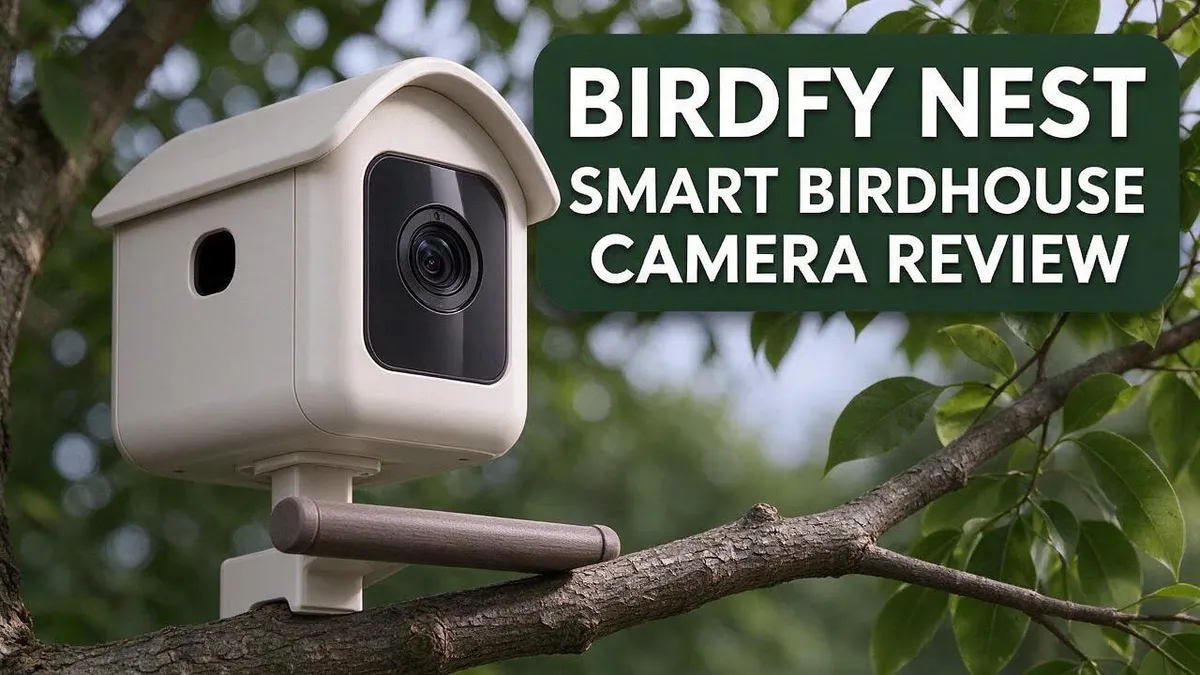
Birdfy Nest Smart Birdhouse Camera Review: Worth It in 2026?
Watching birds from your window is fun. But a simple feeder camera often misses the best moments. The Birdfy Nest Smart Birdhouse Camera aims to change that.
This compact camera fits right into your yard. Its weatherproof casing works indoors and outdoors. Night vision and AI bird tracking help you catch every visitor, even after dark. The simple app helps you get started fast.
Owners often praise the sharp video and photos. Many say the app is easy to use. Several reviewers also rate it higher than Bird Buddy.
Still, every product has downsides. One reviewer reports Wi-Fi trouble after rain. Keep reading to see if this smart birdhouse camera suits your backyard.
In a Nutshell
-
Works indoors and outdoors: The weatherproof casing lets you mount the camera inside your home or outside in the garden.
-
Night vision: You can watch visiting birds even after the sun goes down.
-
AI bird tracking: The camera uses artificial intelligence to follow birds as they move around the feeder area.
-
Stronger reviews than Bird Buddy: Several reviewers rate this model more favorably than Bird Buddy, its main rival.
-
Short default clips: Each recording lasts 20 seconds by default. You need a paid upgrade to reach 30 seconds per clip.
-
Connection concerns: One reviewer said the wireless signal failed after rain unless the unit sat about 2 feet from the router. That reviewer also reported a blank live view and no reply from the seller.
Video Quality and Night Vision

- A Home Birds Will Choose: We built this house not just for you, but for them. Crafted from durable, natural fir wood, it’s more than just a box—it’s a safe haven. The design ensures proper ventilation and drainage, creating the secure and comfortable environment birds need to feel safe and raise a family. It's also a perfect gift for anyone who loves nature
- Witness Nesting Journey on Phone: Imagine starting your day by checking in on the bluebirds that have moved into your backyard. With our integrated camera, you get a 1080P FHD view right on your phone. Watch the entire story unfold—from the first piece of twine laid for a nest to the day the fledglings finally take flight. And with our bird-friendly infrared night vision, the story doesn't stop at sunset. You’ll get to see the quiet, hidden moments of life inside the nest, 24/7.

Last update on 2026-06-09 / Affiliate links / Images from Amazon Product Advertising API Some of the links on this website are affiliate links, which means that at no additional cost to you, I earn a commission if you click through and make a purchase. I only recommend products and services that I believe will add value to my readers. Thank you for your support!
Video quality decides whether the camera is fun to use. Birds rarely sit still for long. A good sensor must keep up with quick flutters at the feeder.
Placement changes everything. Mount the camera at eye level with the perch, not high above it. Close framing shows feather detail, while a distant angle shrinks small songbirds into blurry dots.
Glare is another challenge. Sunlight bouncing off glass or metal can wash out the frame. Position the lens so it faces away from direct sun during the middle of the day.
Daytime color is usually the strongest part of the picture. Feathers look bright and detailed when sunlight hits the feeder directly. Overcast days may look softer but still usable.
Night vision works differently. Infrared lights turn on when the room or yard grows dark. The images appear in grayscale, so colors on a cardinal or bluebird disappear. Many people enjoy this view anyway, because the birds look calm and unbothered at dusk.
Some people also face a live view problem. One reviewer reported a blank screen when trying to watch in real time. Before you rely on the camera, test the live feed for several days. Check it at dawn, noon, and after dark.
Watch for lighting shifts too. Sudden changes from clouds or porch lights can cause the image to flicker. Shade the area near the lens when possible.
Cleaning matters more than many people expect. Dust, rain spots, and bird droppings can blur the lens over time. Wipe the glass gently each week with a soft cloth.
Think about the feeder setup too. Clear perches help the camera track birds more easily. Cluttered branches may confuse the image and hide small birds behind leaves.
Good video quality depends on setup as much as hardware. Spend a few minutes adjusting the angle and the light. Your bird watching will feel much more rewarding.
Weatherproof Design and Installation
Setting up the camera outdoors takes some planning. Good placement keeps the unit dry and steady.
Look for a spot under an eave or porch roof. Cover blocks rain and snow.
Pick a mount that stays still. A loose branch can sway and shake the picture.
A solid wood post or firm wall bracket works best.
The camera charges through a DC 5V/2A connection. Run the cable along a wall or fence line. Do not let it hang loose.
Create a small drip loop below the port. Water rolls off before it reaches the plug.
Cold weather brings its own challenges. The listed operating range starts at minus 20°C. Frost can still settle on the lens after a freeze.
Check the casing seals before you mount the unit. Make sure the cover clicks shut all the way.
Tight seals block moisture and dust.
Mount the camera at about eye level near the perch. Tilt the lens slightly down to frame the feeder.
Run a short test before final installation. Watch a few clips and adjust the angle.
This quick check saves time and frustration later.
Strong gusts can shift a lightweight mount over time. Tighten the screws every few months to keep the angle steady.
Keep the mount away from heavy branches. Falling limbs can crack the casing during storms.
Use stainless or coated screws to resist rust. Metal parts often corrode outdoors.
Plan for seasonal changes too. Leaves can block the view in spring and summer.
Trim nearby branches once a season to keep the frame clear.
AI Bird Tracking and Recording Limits
Tracking sounds fun on paper, but it works best when birds move slowly across the frame. Quick fliers can slip out of view before the camera catches up.
Tracking speed matters more than many people expect. A busy feeder with several birds can confuse the camera. It may switch focus between birds at the wrong moment.
Think about what happens when a bird lands on the edge of a perch. Part of its body may stay hidden. The system may lose track and wait for a clearer view.
Plan your feeder layout around the lens. Place perches so birds land near the center of the frame. This simple step gives the tracking system more time to lock on.
Recording limits add another layer to the experience. Each clip runs for a short window, so long visits can get cut off. A bird that stays for a snack may appear in only part of the footage.
Short clips work well for quick highlights. They also make it easy to review many visits in a short time. Still, a longer visit often tells a fuller story about feeding habits.
Decide what you want to record first. If you love watching species behavior, longer clips help. If you mainly want to see who visits, short bursts may be enough.
Some owners set a routine for checking the app each morning. This habit helps them catch the best moments before older clips disappear. Regular checks also reveal which spots draw the most activity.
Recording limits and tracking work together. Clean lenses, steady mounts, and good light help the camera keep a bird in frame longer. A good setup gives the software a better chance.
Test the tracking before you rely on it. Watch several visits, note where birds disappear, and adjust the angle. Small changes often make a big difference.
Expect some trial and error in the first week. Every yard has different light, wind, and bird traffic. Keeping a short log of visits helps you spot patterns and improve results over time.
Top 3 Alternatives
If you want other options besides the Birdfy Nest, these three models are worth a look. Each one offers something a little different for bird lovers.
Bird Buddy Smart Feeder

- AI-POWERED BIRDWATCHING APP: Premium Subscription required. The Bird Buddy app uses AI to identify bird species and individual birds, detect signs of illness, recognize other animal visitors, and provide real-time alerts when birds visit your feeder. Access advanced birdwatching features, personalized collections, and insights about your local wildlife through an active subscription.
- ADVANCED HD+ BIRD FEEDER CAMERA: The 2x larger sensor supports HDR for stunning contrasts and vibrant colors in 5MP photos and 2K video resolution. Unlock extra features and capture slow-motion videos of birds in flight, or enjoy a wider field of view.
Last update on 2026-07-01 / Affiliate links / Images from Amazon Product Advertising API Some of the links on this website are affiliate links, which means that at no additional cost to you, I earn a commission if you click through and make a purchase. I only recommend products and services that I believe will add value to my readers. Thank you for your support!
The Bird Buddy Smart Feeder pairs a seed tray with a built-in camera. It sends photos of visiting birds straight to your phone. The camera sits close to the perch, so the pictures look sharp. Many owners enjoy the app because it identifies each species for them. This choice suits people who want a feeder first and a camera second.
Netvue Birdy Feeder

- Watch Birds from Your Phone Anytime, Anywhere. NETVUE by Birdfy smart bird feeder with camera automatically captures every coming birds and sends real-time alerts. Get close-up shots whether home or away - the perfect backyard birdwatching upgrade.
- See Birds in Stunning Detail with 2.4Ghz Wi-Fi. With full 1080P high definition resolution and color night vision, you can enjoy crystal-clear videos and images of birds—even in low light. Admire intricate feather patterns and tiny details up close, just like a bird selfie. Comes with a powerful antenna ensures a stable 2.4GHz Wi-Fi connection with wider coverage and better outdoor performance. (Please note: 5GHz Wi-Fi is NOT supported.)
Last update on 2026-07-01 / Affiliate links / Images from Amazon Product Advertising API Some of the links on this website are affiliate links, which means that at no additional cost to you, I earn a commission if you click through and make a purchase. I only recommend products and services that I believe will add value to my readers. Thank you for your support!
The Netvue Birdy Feeder focuses on clear video of your backyard guests. Its camera records in high definition, so you can watch feeding habits in detail. It also helps you spot visitors in dim light during early mornings. You can save clips and share them with family. Setup takes only a few minutes, which helps beginners.
Wingscapes BirdCam Pro

- Upgrade Your Feeders to a Smart Birdwatching Hub: Our smart bird camera is specially designed for backyard bird watching, suitable for birdfeeders, bird houses, bird bath etc. It streams live HD 2.5K video directly to your phone and sends instant notifications. Whether you're at home or out, never miss a feathery visitor
- All-Inclusive Kit & Worry-Free Support: Get started immediately with the complete package. Includes the smart bird camera, high-efficiency solar panel, versatile 2-in-1 ground mounting pole, rain shield, and all necessary hardware/accessories. Backed by a [1-year free warranty] for your peace of mind
Last update on 2026-07-01 / Affiliate links / Images from Amazon Product Advertising API Some of the links on this website are affiliate links, which means that at no additional cost to you, I earn a commission if you click through and make a purchase. I only recommend products and services that I believe will add value to my readers. Thank you for your support!
The Wingscapes BirdCam Pro works like a trail camera for wildlife lovers. It stays outdoors for long periods and captures images when motion triggers it. Its weatherproof body handles rain, wind, and cold without trouble. Many people place it near a feeder or nesting box. This model suits anyone who wants a rugged option for remote spots.
Subscription Plans and Long-Term Value
Think about the subscription before you commit to it. A plan adds ongoing features, so the real question is how often you will use them.
Start by counting your cameras. Reviewers say the Birdfy Pro plan fits best when a household runs four or more cameras. A single birdhouse may leave you with features you rarely open.
Look at your own habits first. Many people check the app for a few minutes each morning. If you only watch now and then, a basic setup may cover your needs.
A subscription is an ongoing commitment, not a one time decision. Birds visit feeders in spring, summer, and fall, so plan for several seasons.
Think about seasonal activity. Some owners watch closely during nesting season and much less in winter. Ask whether you can adjust your plan use during quiet months.
Read the plan terms carefully. Check what the plan includes, how renewal works, and how cancellation works. Clear terms prevent surprises later on.
Plan for service issues. One owner reported poor connection after rain, a blank live view, and no reply from the seller. Ask how the company handles problems before you rely on it for years.
Consider shared use. Several family members may want to watch the feed. Ask whether more than one person can use the same app access.
Track what you actually watch. Keep a simple note for one month. Write down which clips you saved and which features you used most.
Start simple and upgrade later. This approach lets you test the camera without locking into a long plan. Upgrade only when the extra features earn a place in your daily routine.
A careful choice now saves frustration later. Your birds, your schedule, and your habits should guide the decision.
App Experience and Wi-Fi Reliability
The app is where most owners spend their time with the Birdfy Nest. It shows a live view, a clip history, and alerts.
Setup takes only a few minutes for most people. Open the app, create an account, and follow each step to link the camera. Keep your phone nearby until the first connection is complete.
The live view is the feature people check most. Tap the stream and watch birds arrive at the feeder in real time. Many owners open it with their morning coffee.
Alerts can make the experience more fun. You get a message when a bird visits the box. Too many alerts can feel distracting, so adjust the settings to match your daily routine.
Clip history makes it easy to review missed visits. Scroll back through recent videos and save the best moments.
Connection quality shapes how smooth the app feels. A weak wireless signal can cause delayed video or frozen frames. Check the signal bars at the mounting spot before you finish the install.
One reviewer found that the camera only stayed stable when placed about 2 feet from the router. That distance may not suit every yard or balcony. Think about where the router sits in your home.
Your phone needs a strong connection too. Switching between your home network and mobile data can cause short gaps in the stream. Stay on one network while you watch.
Moving the router closer or adding a range extender can help. Test the live view again after each change. Small adjustments often make a big difference.
Keep the app updated so new features and fixes arrive. Updates often improve stability and video quality. Check for updates once a month.
Good habits lead to a better experience. Restart the camera if the view freezes. Log out and back in if the app behaves strangely.
Pros and Cons
Pros
- Owners report sharp video and photos.
- The app is simple to use.
- Night vision and AI bird tracking help you see every visit.
- The compact, weatherproof case works indoors and outdoors.
- Several reviewers rate it higher than Bird Buddy.
Cons
- Longer recording time requires an upsell.
- The Birdfy Pro plan makes the most sense for four or more cameras.
- The connection can fail after rain unless the unit sits close to the router.
- One owner reported a blank live view and no reply from the seller.
Who Should Buy It
The Birdfy Nest suits bird lovers who want a close look at daily visitors. It works well for people with a backyard, a balcony, or a window garden. Every visit becomes a small daily event worth watching.
Families with children often enjoy this camera the most. Kids can learn bird names and watch feeding habits without going outside. The simple app makes it easy for younger family members to join in.
Retirees and people with limited mobility may find it especially helpful. They can watch wildlife from a chair indoors. Fresh sightings can brighten a quiet day.
Teachers and nature clubs can use the camera as a simple classroom tool. Students can watch real visits without disturbing the birds. Parents can also support school projects with it.
Photographers who want sharp images will appreciate the results. Owners report clear video and photos. Sharp detail helps them notice small feather patterns. Night vision also keeps the feed active when light fades.
Beginners who are new to birding may enjoy the AI bird tracking. It adds a fun layer of discovery. Newcomers can learn while they watch.
Gardeners who feed birds often gain the most. They can see which feeders attract the most guests. Seeing patterns can guide where they place seed next season.
Not everyone needs a camera like this. Casual observers who glance at birds now and then may prefer a simple feeder instead.
Shoppers who prefer simple tools will feel at home. Controls stay easy to find. Many people can start watching right away.
Ask yourself a few simple questions. Do you enjoy checking on birds every day? Is your feeder within easy view of a window? If you answer yes, this camera deserves a close look.
Your home and habits decide the fit. Think about your space, your family, and your daily routine. A clear answer will make your choice much easier.
Final Verdict
The Birdfy Nest earns a spot on many feeders. It works best for people who love a daily view of nature. It rewards a little patience and smart planning.
Think of this camera as a window, not a gadget. Your results depend on your home network. Test the signal exactly where the camera will sit. A quick check now prevents frustration later.
Think about how long you want each clip to last. Short clips may feel limiting when birds visit rarely. Longer clips make slow days more rewarding.
Your feeder traffic matters a lot. A busy yard gives the camera plenty of action. A quiet corner may leave you waiting for hours. Watch your yard for a few days first.
Here is our simple verdict. Choose this camera if you have a strong wireless signal and steady visitors. Skip it if your router sits far away or your yard stays quiet.
Keep your expectations realistic. No camera makes every bird appear on cue. Weather, season, and food choices shape what you see. Pair the camera with fresh seed and clean water for better results.
Seasons change what you see at the feeder. Spring brings nesting pairs and busy mornings. Winter brings hungry regulars that stay near the seed. Plan your viewing around these patterns for the most activity.
Expect a learning curve during the first days. You may adjust the camera angle, the feeder height, and the distance from the router. Small tweaks often create a big improvement in clarity and comfort.
Trust your own space above all. Place the unit, watch for one week, and then decide. A short trial reveals more than any review can.
The bottom line is friendly and clear. The Birdfy Nest suits people who want an easy, up close look at nature. With the right setup, it can turn ordinary mornings into a small daily show.
Frequently Asked Questions
How do I charge the Birdfy Nest?
The camera charges with a DC 5V/2A power adapter. Keep the cable nearby so you can top it up without a search. Check the charge level in the app now and then.
Where should I place the camera?
Choose a spot with steady feeder traffic and soft natural light. Avoid direct sun on the lens, because bright glare can wash out your view. Pick a spot you can reach easily for cleaning and charging.
What should I do if the live view stops?
Start with the simple steps. Check that your phone has a steady connection, then confirm the camera has power. Restart the app and wait a minute for the feed to reconnect. If the problem continues, move the unit closer to your home network and try again.
Is the app easy to learn?
Yes, most people find the app easy to learn. The layout is clear, and you can view clips without extra setup. Give yourself a few days to explore the settings. You will soon feel comfortable with it.

Hello, I’m Amelia White, the founder of birdsfanatic.com. As a lifelong bird enthusiast and spiritual seeker, I’ve always been fascinated by the mystical connections between birds and the human experience. On this site, I share my knowledge and insights into the symbolic meanings and spiritual significance of various bird species, exploring their roles in mythology, folklore, and cultural traditions. Join me on this journey into the world of birds, where we’ll discover the hidden wisdom and guidance that these magnificent creatures have to offer.